
Every BACnet/SC connection is a mutual-TLS handshake, which means every hub and every node ultimately answers the same foundational question: whose signature do you trust? In a managed deployment, the hub carries its own certificate authority, and nodes get their operational certificates through an enrollment service — not by exchanging certificate files around by hand. Getting that bootstrap right is the difference between a deliberate trust decision you can defend and an expensive “it just connected” mystery.
This guide walks the HUBaaS trust bootstrap end to end: which identities are which, how to retrieve and verify the CA fingerprint through a channel you actually trust, what the EST operations do and don’t promise, and how to verify the node certificate and hub join afterwards. Every credential, hostname and fingerprint here is invented — the workflow is real.
Where HUBaaS fits
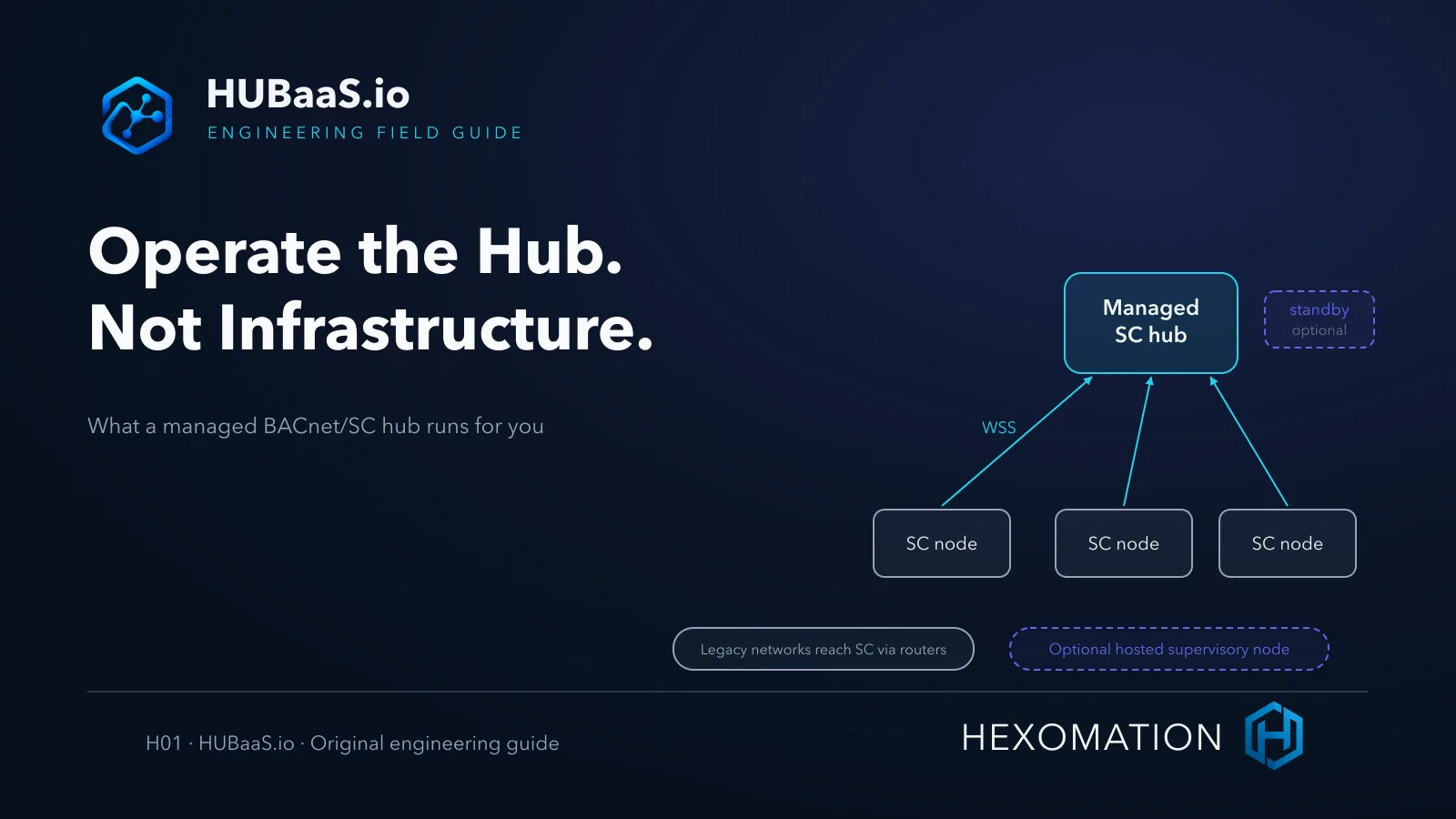
HUBaaS is Hexomation’s managed BACnet Secure Connect service: per site, one primary hub, an optional warm-standby hub, and an optional hosted supervisory node — SC only, with no native Modbus, BACnet/IP, MS/TP or LonWorks field interfaces. Customer-operated supervision is equally valid, and a shared sign-in does not merge the separate product tenants.
Each managed hub maintains its own certificate authority and exposes an EST enrollment service alongside the hub’s WebSocket endpoint — two separate provisioned hostnames/endpoints, not one flow; take both values exactly as the console presents them rather than deriving one from the other. Node access, disconnect and revocation governance live in the same console; feature availability follows the product plan and version. This article covers the authority side of issuance — the node keeps custody of its own private key, and nothing here uploads key material anywhere.
Three identities, not one
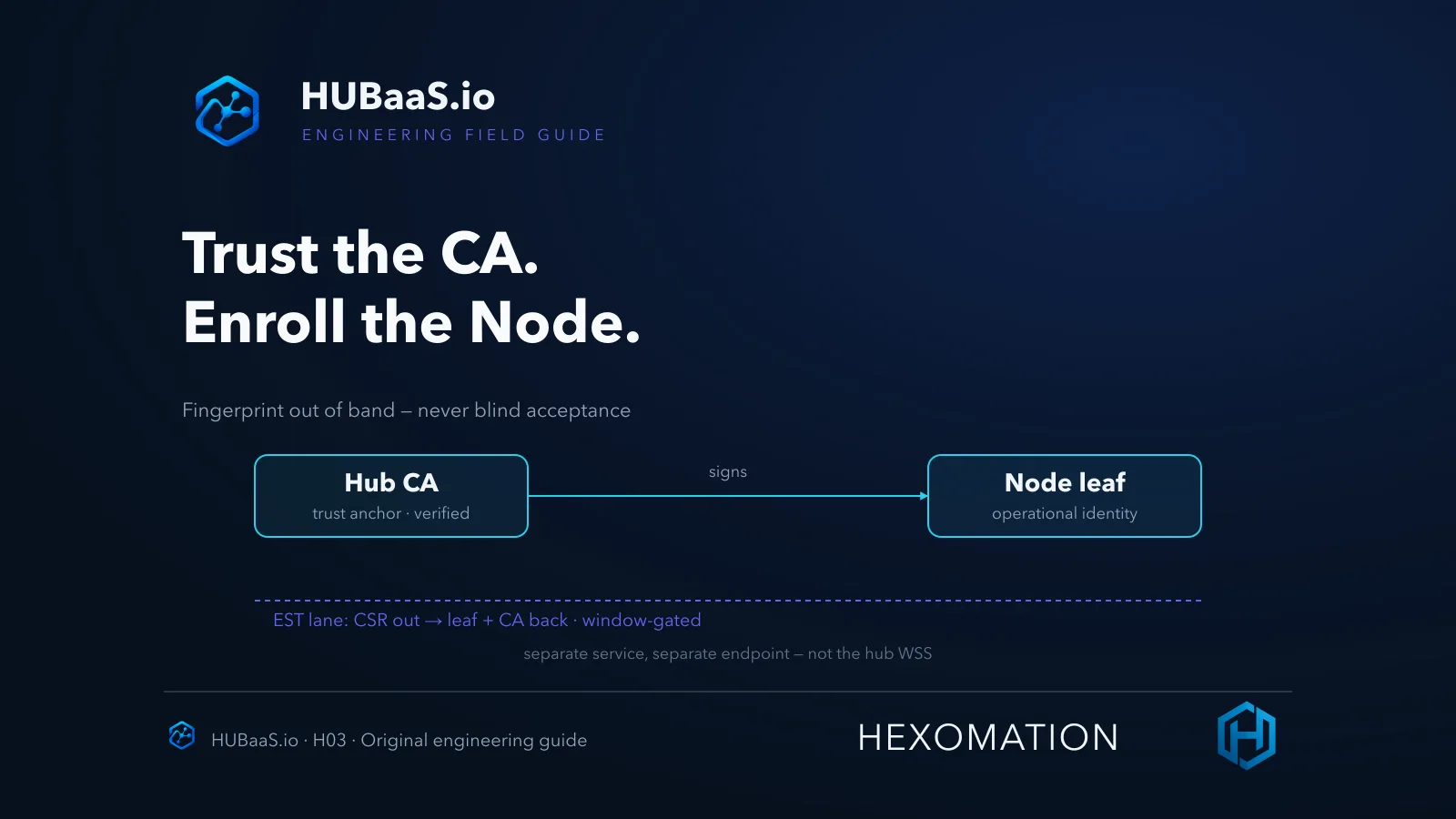
The first discipline is separating the three certificates people casually call “the hub certificate.” The hub CA is the issuer — the trust anchor whose fingerprint you verify out of band and record as the baseline for that hub. A CA is per-hub, not permanently universal: revalidate the fingerprint whenever an approved CA replacement or re-provisioning changes it. The node’s operational leaf is the short-lived identity the node presents on every SC connection, signed under that CA. And the web service’s HTTPS server identity protects the enrollment exchange itself — a different chain under a different trust model.
Confusing them produces two classic errors: trusting whatever TLS chain the enrollment endpoint happens to present (which says nothing about the CA that will sign node certificates), and pinning the CA but never checking which leaf was actually issued. Keep them separate and each verification step has one clear object.
The lifecycle difference matters too. The CA is long-lived and stable — it’s the anchor you baseline per hub and revalidate on approved replacement. The operational leaf is comparatively short-lived by design: it will be renewed, so a workflow that treats the leaf as permanent builds in a future outage. And the HTTPS identity can rotate on its own infrastructure schedule entirely outside your control — which is exactly why it can never be the thing you anchor node trust to.
Verify the CA fingerprint out of band
The console exposes the hub’s CA certificate as PEM plus its SHA-256 fingerprint — and the current endpoint data carries the hub WSS and EST URIs separately, so use the endpoints exactly as the console presents them rather than deriving hostnames from examples. The verification rule is strict: confirm that fingerprint through an independently trusted channel — an authenticated console session, a signed onboarding document, an out-of-band confirmation with the deployment owner — never by trusting the same network you are about to trust.
“The fingerprint matched the fingerprint” only means something when one side of the comparison arrived through a path an attacker on the enrollment path can’t equally forge. Blind acceptance of an arbitrary server certificate, disabled TLS checks, and curl -k-style shortcuts are all ways to defeat the entire point of SC.
In practice the strongest pattern is boring: copy the displayed fingerprint from the authenticated console into the commissioning record, compute or compare the fingerprint on the retrieved CA PEM at the client, and have a second person or a documented channel confirm the match. If anything in that chain fails, stop — a mismatched fingerprint is not a formatting problem to work around, it’s the system doing its job.
What the EST service actually does
The enrollment service answers standard EST-style operations on both bare and /.well-known/est paths. cacerts returns the CA certificate in PEM — and, importantly, it is not gated by the enrollment window, though configured authentication still applies. simpleenroll and simplereenroll accept a certificate signing request — DER or PEM PKCS#10 — and return a PEM approximation containing the leaf plus the CA.
That word “approximation” matters and we won’t paper over it: the reviewed service returns a PEM structure that works for its own flow, but that is not proof of universal RFC 7030 wire-format compatibility with every EST client ever written. If you plan to enroll a third-party client rather than a first-party node, test that specific client against a lab hub before commissioning day — a supported server operation does not prove a particular client invokes it correctly.
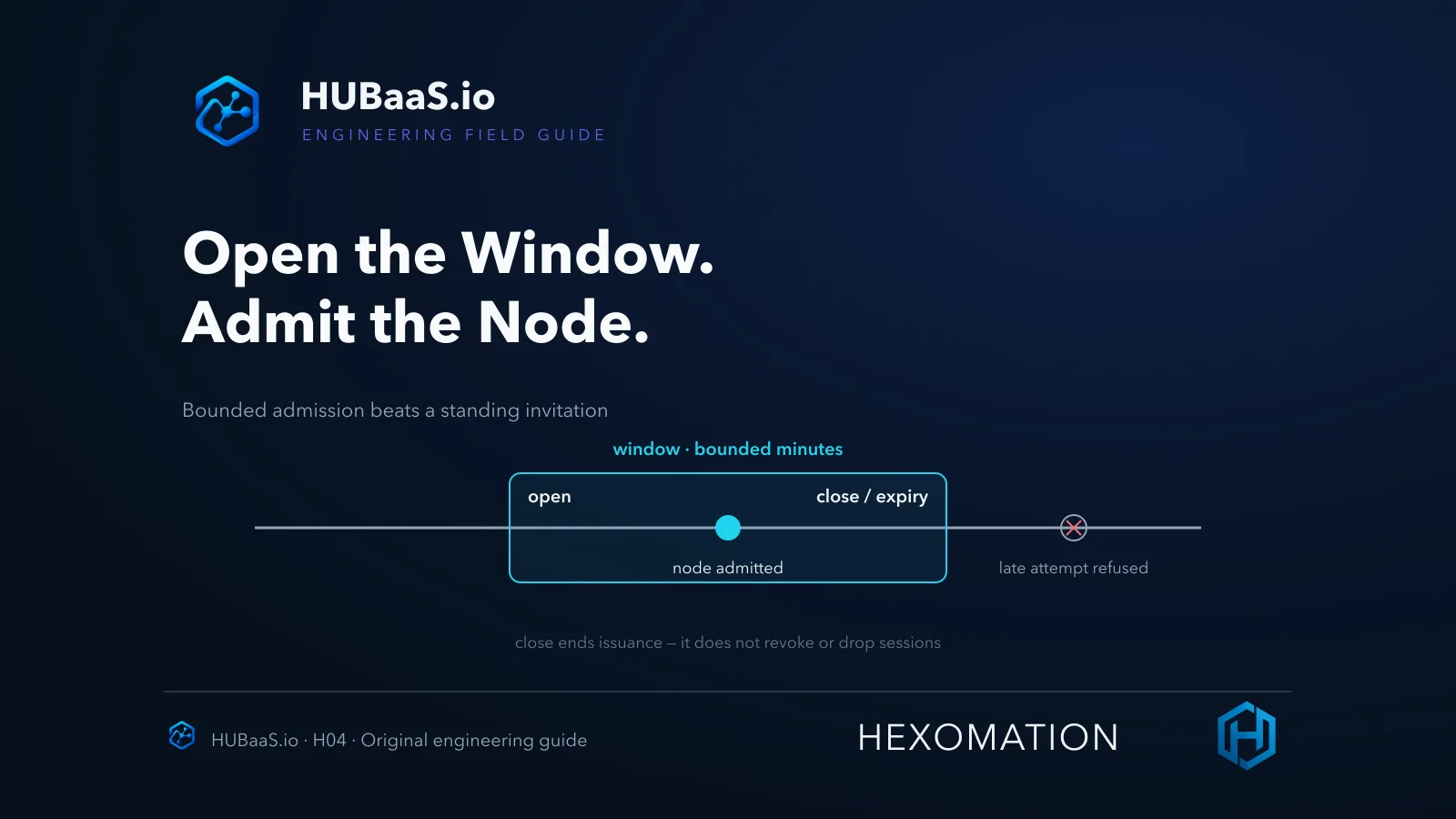
Three operational consequences follow. The cacerts call is the safe read — use it to fetch the CA for fingerprint verification without needing an open window. Enrollment is the gated write — both simpleenroll and simplereenroll check the window, so plan renewal timing instead of assuming any moment works. And authentication is not optional just because enrollment is convenient — “open” describes a time window, not anonymous access.
The enrollment sequence
The flow itself is deliberately boring, which is what you want from PKI. The node generates and retains its own private key — it never travels. It builds a CSR, sends it to the enrollment service, and receives back its operational leaf plus the CA. The node then trusts the hub through the verified CA and presents the leaf on the WebSocket connection.
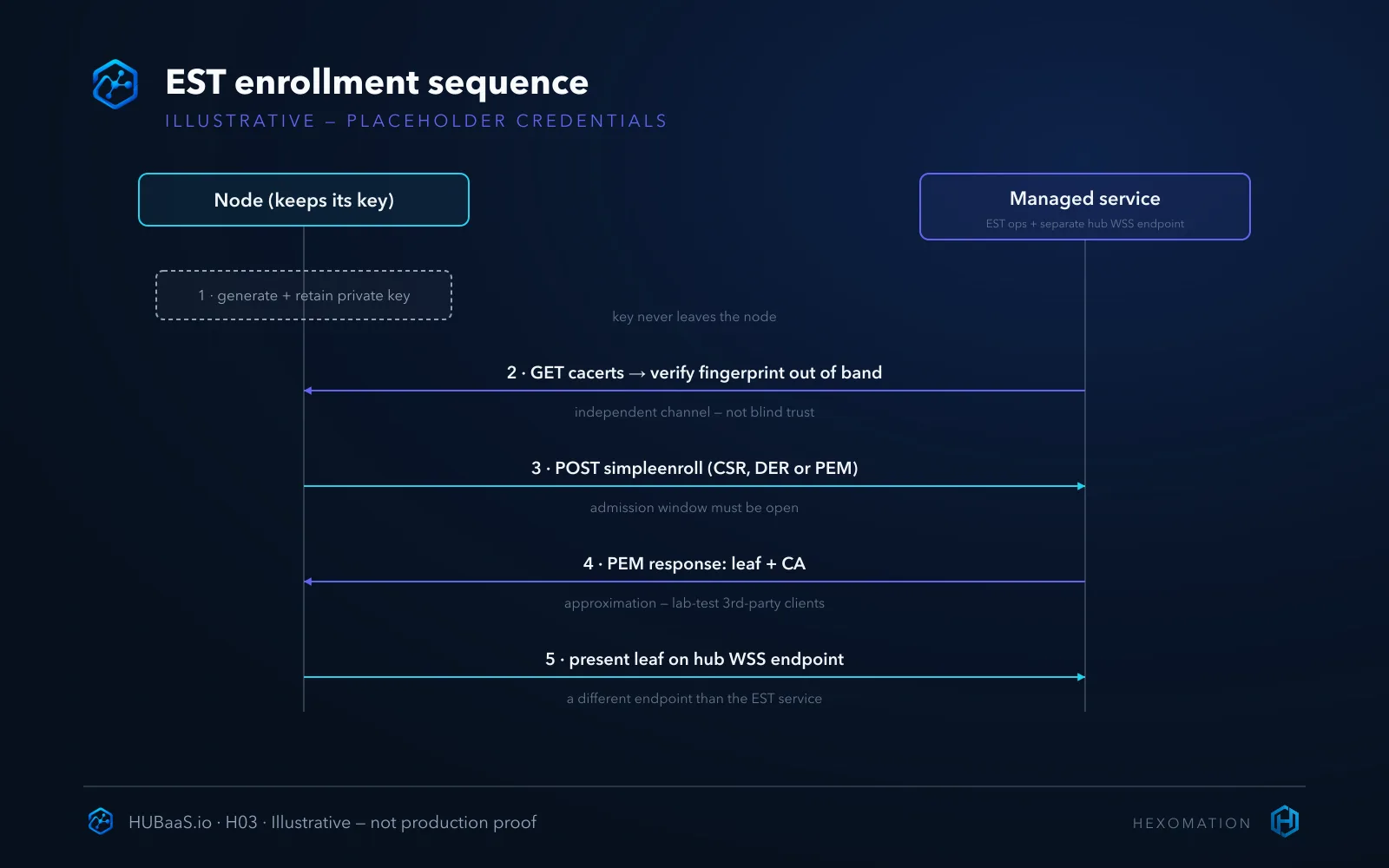
Both issuance operations — initial enroll and reenroll — check the enrollment window, so admission planning applies to renewals as much as first joins (the companion guide on timed windows goes deeper). There is no universal auto-renewal promise: renewal behavior depends on the client’s implementation and on an open window at the time it runs.
That last point quietly reshapes commissioning calendars. Say a leaf carries twelve-month validity — a hypothetical span for illustration, not a product lifetime figure; actual validity is whatever your issuance produced — that is not “install and forget”; it is a renewal appointment you schedule inside a window someone must open. Fleets that skip this planning discover the constraint at the worst possible moment — when every cert issued in one commissioning week expires in the same week a year later.
Verify the issued identity, then the join
After enrollment, verify two separate things. First the artifact: inspect the issued leaf — its subject, serial, validity window and issuer should match the CA you pinned. Second the session: the node joining the hub’s connected-node inventory is evidence the operational path works end to end. A certificate that exists but never joins, and a join you cannot trace back to a verified fingerprint, are both incomplete states.
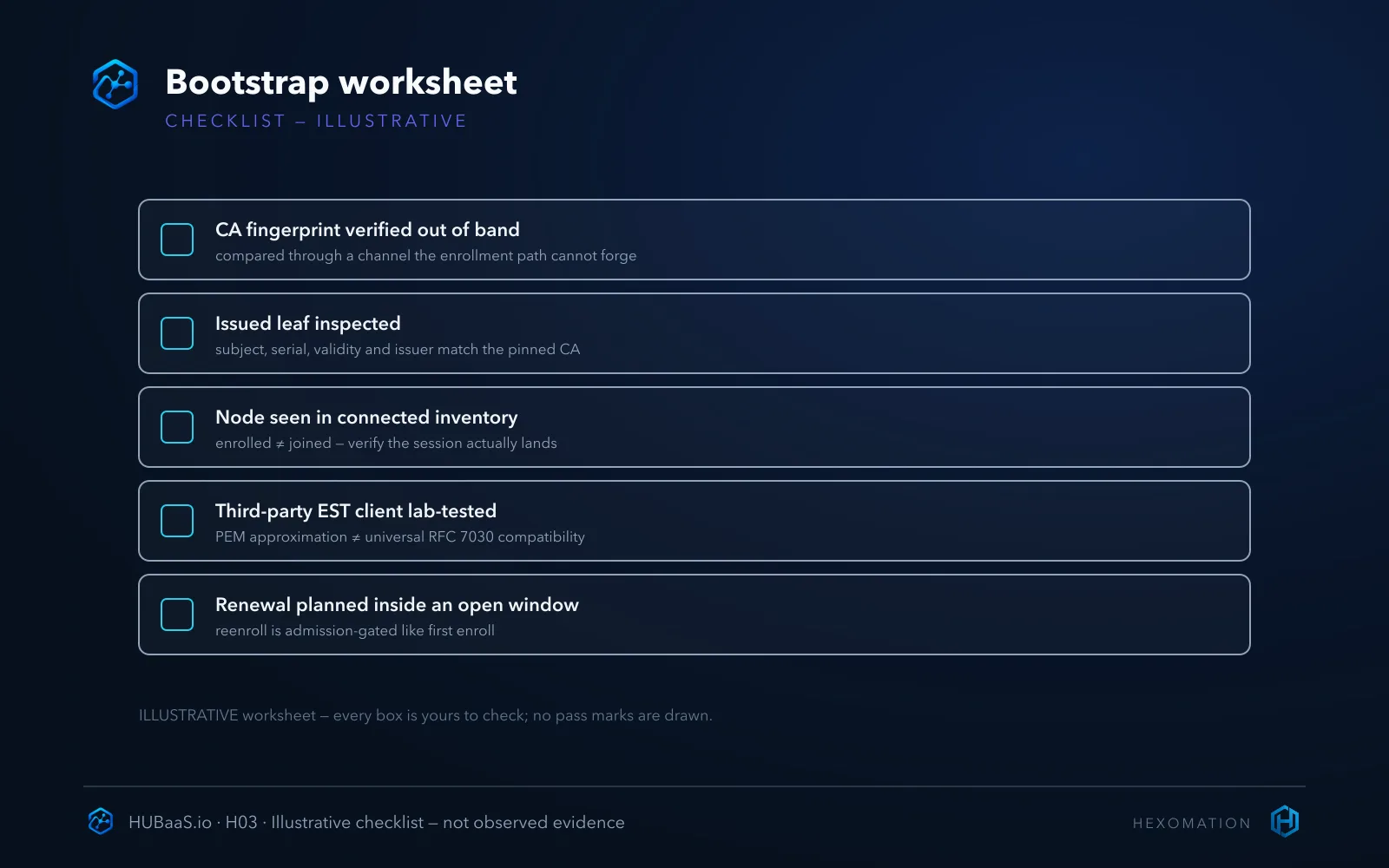
If a join fails after a successful enroll, resist the instinct to re-enroll blindly — the window gates issuance, not WSS connections presenting an already-valid leaf. Check which leaf the node actually presents, whether its trust configuration still anchors the right CA, whether leaf validity and node clock agree, and whether the client dialed the actual provisioned hub hostname and path with correct SNI — not a derived guess. Enrollment succeeding and connection succeeding exercise different machinery.
Keep the artifacts, too. Recording the CA fingerprint, the issued leaf’s serial and validity, and the enrollment timestamp turns a future “was this node ever legitimate?” question into a lookup instead of a forensic exercise. That record is also what makes later lifecycle actions — reconnects, disconnects, revocation — auditable instead of guesswork.
Client responsibilities stay with the client
Some duties cannot be delegated to the hub no matter how managed the service is. The client generates and protects its private key. The client maintains a trust configuration that includes the verified CA. The client decides when to enroll and reenroll — within windows the operator controls — and the client is responsible for renewing before its leaf expires, because an expired leaf is a node that cannot connect, full stop.
It helps to be blunt about what enrollment is not. It is not device discovery — nothing on the hub’s side reaches out to find your nodes; the node initiates. It is not authorization in the abstract — a successfully issued certificate proves the issuance path ran, not that the node should remain trusted forever; that’s what revocation and access governance are for. And it is not a backup of anything on the client — the hub never sees the private key, so losing it means enrolling a new leaf, not restoring one.
Worth saying twice, because it drives every decision above: the managed service manages the authority and the enrollment plumbing — the node, its key, its renewal timing and its trust configuration stay the operator’s problem. That split is exactly why the fingerprint check belongs to you, the lab-client test belongs to you, and the “did it actually join” check belongs to you.
Managed issuance or your own PKI
The honest alternative is worth naming. If your organization’s PKI policy requires issuance to stay inside a centrally controlled enterprise CA with its own audit trail and revocation process, a customer-operated enrollment path — or the enterprise trust-anchor pattern covered in the companion guide — may fit better than the managed CA. Managed CA/EST trades custody convenience for the hub owning issuance; that’s a policy choice, not a defect.
The managed path wins when speed and consistency matter: every hub arrives with a working authority, a documented fingerprint workflow and a console for the lifecycle actions around it. The enterprise path wins when policy says an internal CA must be the issuer of record — accepting that you then own enrollment uptime, renewal handling and the revocation evidence yourself. Pick deliberately; the failure mode is drifting into a model nobody chose.
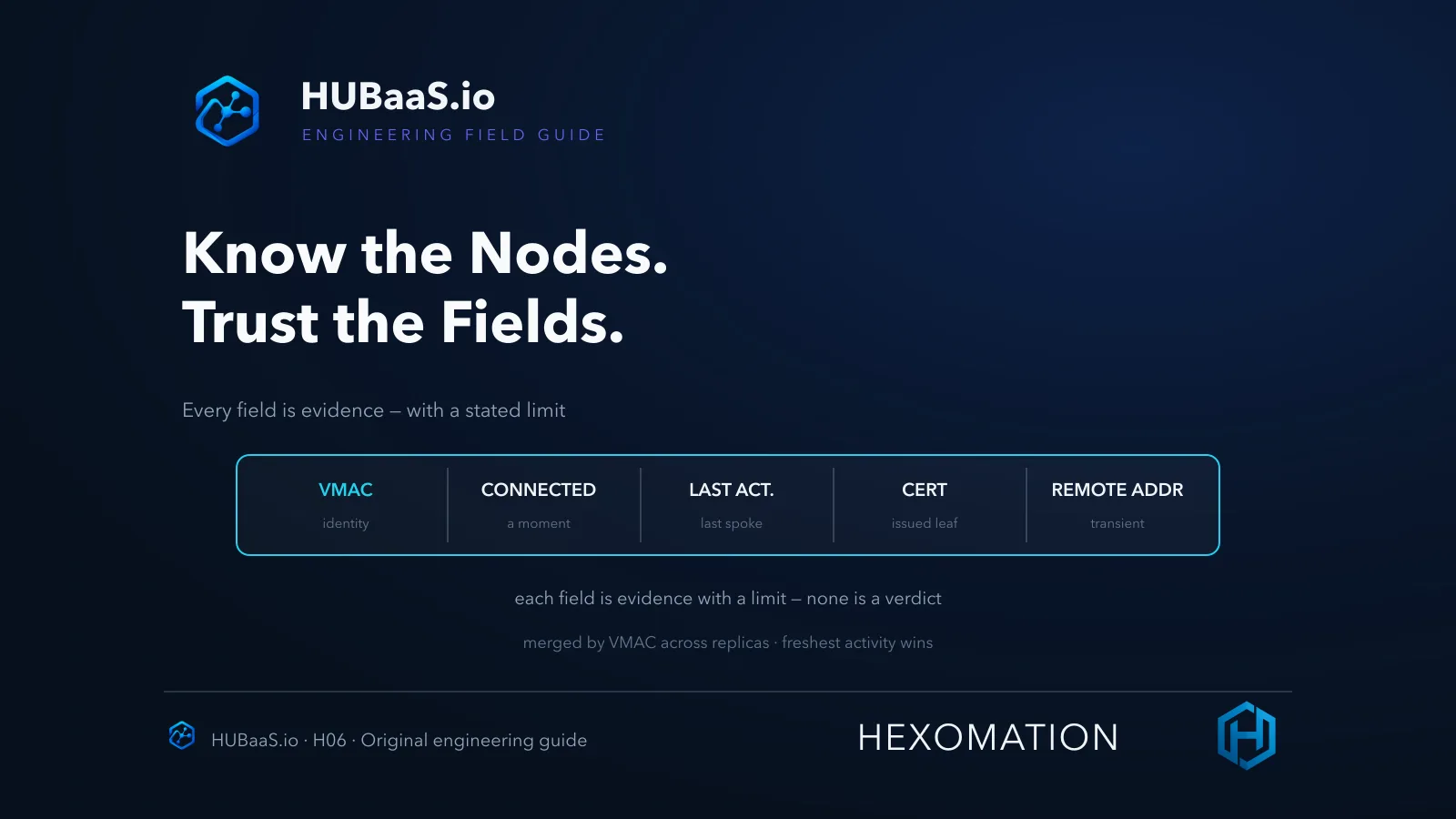
Either way, the bootstrap discipline in this article is the same: a fingerprint verified out of band, a client-generated key that never travels, an issued leaf inspected before it’s trusted, and a join verified after. And keep one more boundary plainly in view: none of this verifies itself — the console fingerprint, the returned PEM chain and the connected-inventory row are separate links, each only as strong as the check you actually ran on it.
Bootstrap once, correctly
The short version: verify the CA fingerprint through a channel you trust, configure the EST base URL exactly as the console presents it, enroll the client-generated CSR, inspect the issued leaf, and confirm the join — with reenrollment planned against the same window gates. Treat the service’s PEM response shape as verified-for-this-flow rather than universal, and lab-test any third-party client before it matters.
And keep the record: fingerprint, issued serial and validity, enrollment timestamp, verification channel. When the same questions resurface during an audit or an incident, that two-minute note is the difference between documented trust and reconstructed memory — between “we know which CA signed this node” and “we’re fairly sure.”
The companion pieces go deeper where this one stays shallow: timed admission windows, enterprise issuer trust, and what the connected-node inventory actually proves. To plan a lab enrollment, review the managed service at HUBaaS.io, and see how a managed hub is stood up for the console-side context.