
A new building automation site usually fails or succeeds at its least visible step: getting the first gateway online with an identity you can trust. Before anyone discovers a single BACnet object, someone has to place software on the customer network and prove it belongs to that site.
Done badly, the symptoms appear weeks later: unexplained offline gateways, mismatched sites, credentials nobody can account for. This guide walks through commissioning the first site gateway in BAaaS, Hexomation’s cloud platform for multi-protocol building automation — what onboarding establishes, how the installation flow works, and which checks to run before discovery begins.
What gateway onboarding actually establishes
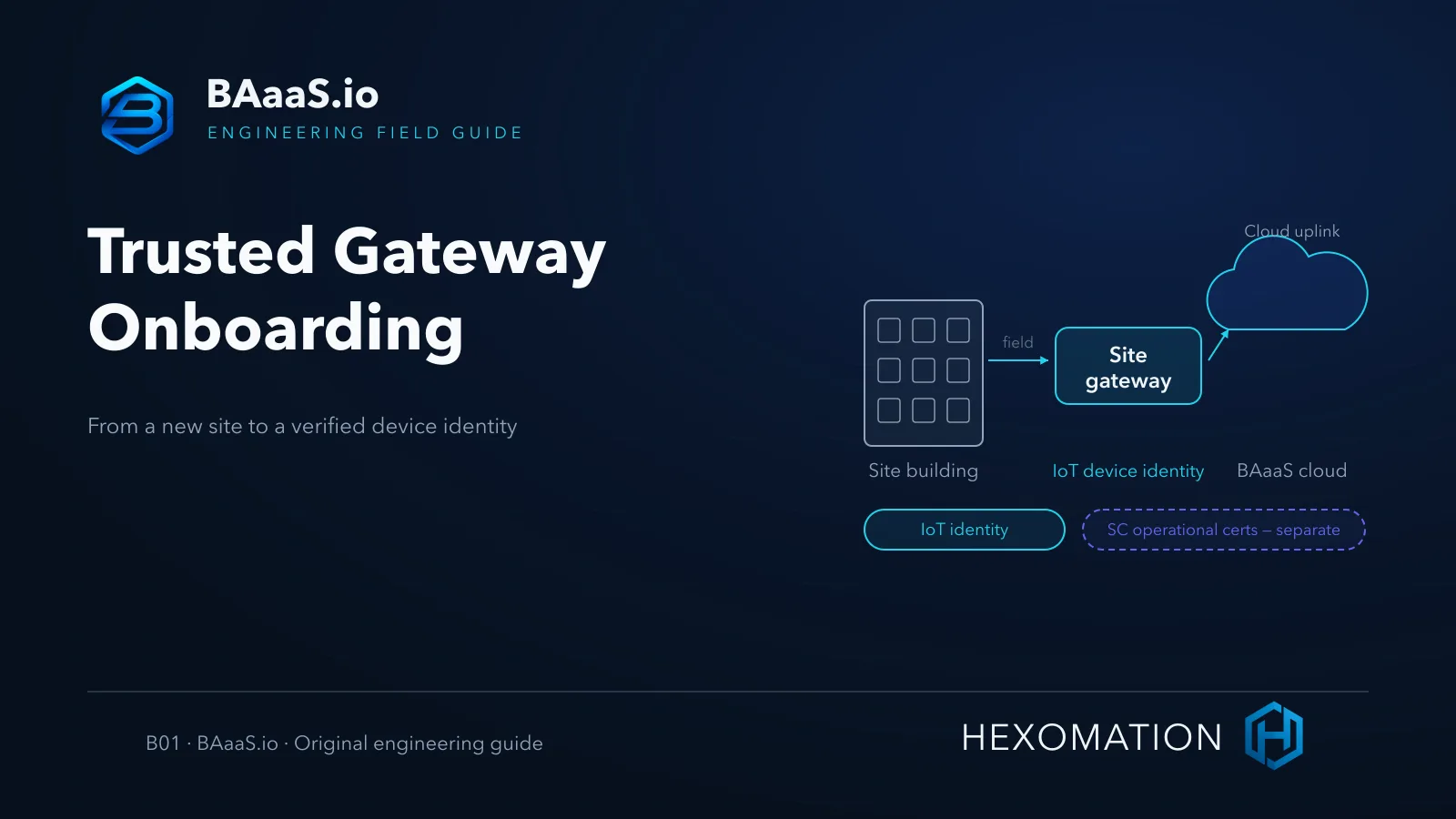
Onboarding is not just installing software. It creates three durable facts in the platform: a site, a gateway that belongs to exactly that site, and a device identity that lets the cloud distinguish your gateway from every other connected machine. Each of these is a boundary you should design deliberately rather than accept by default.
Two identity layers are easy to confuse. The gateway carries an IoT device identity — the credential the platform uses to authenticate the gateway itself. Any BACnet/SC operational certificates it later uses in a node or hub role belong to a separate lifecycle with different issuance and renewal rules. Keeping the two apart in your runbook prevents a specific, avoidable confusion: an expired SC certificate presenting like a lost gateway, or a re-keyed gateway masquerading as an enrollment fault.
Prepare the host
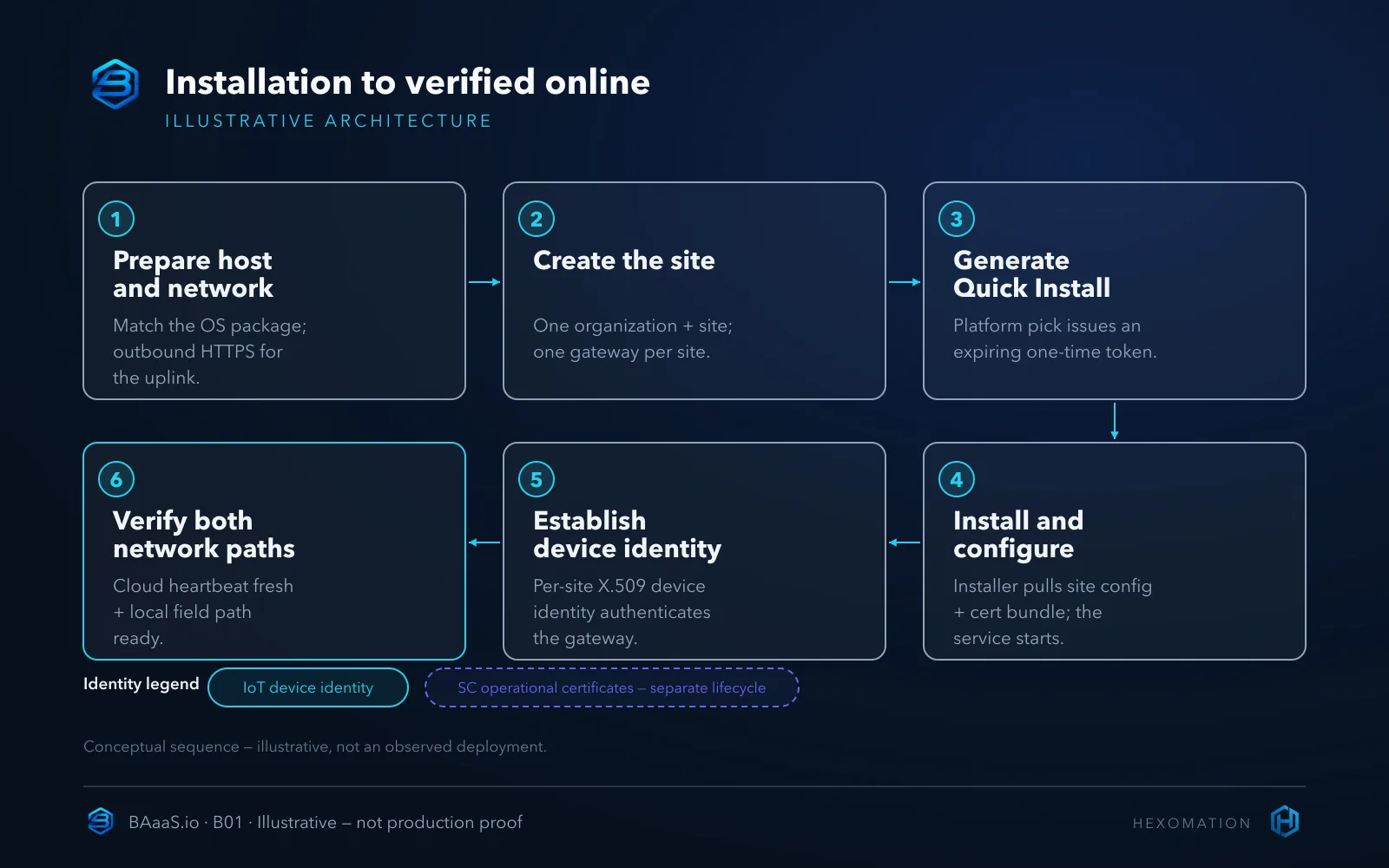
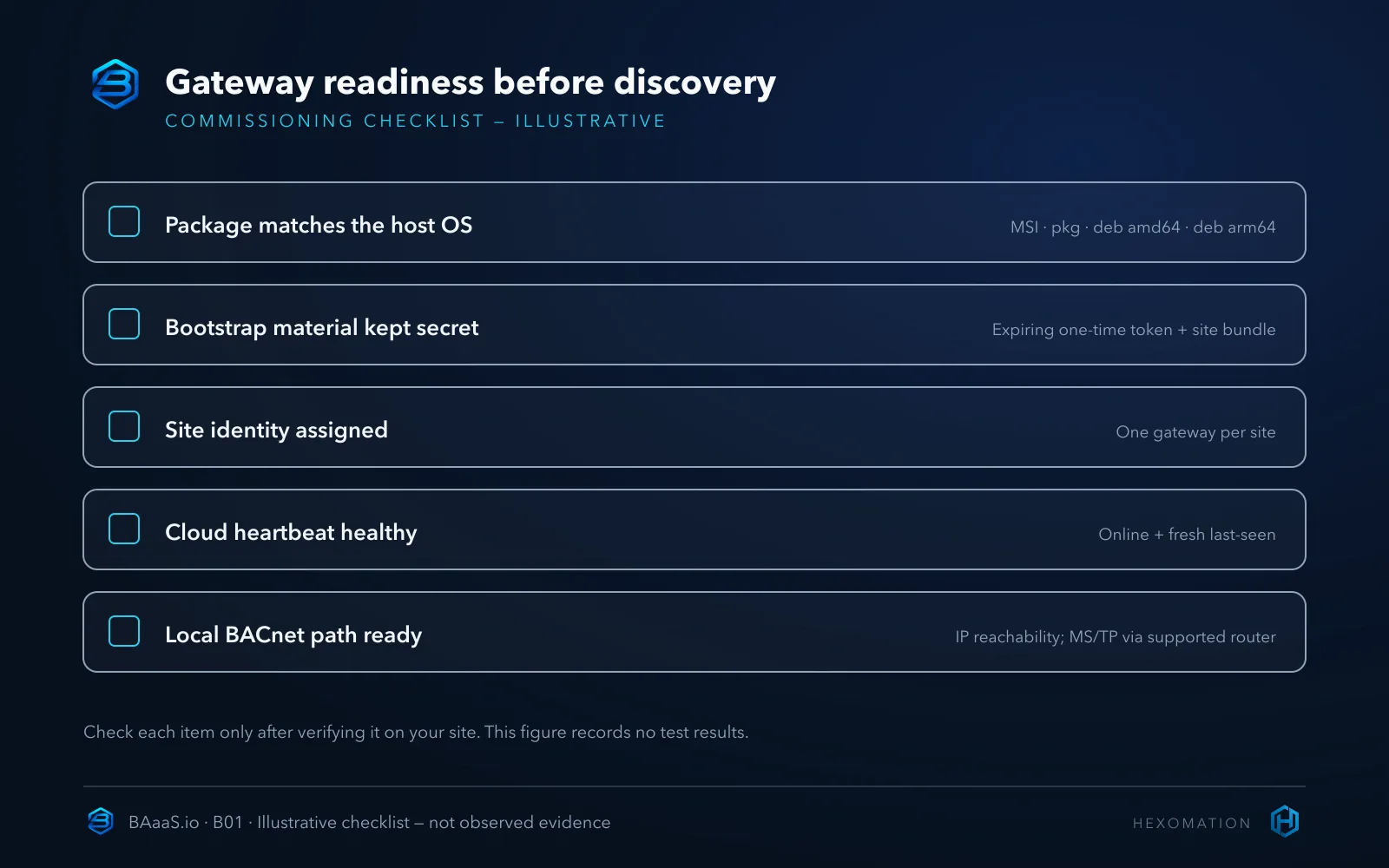
The gateway ships as native packages for the platforms integrators actually carry: a Windows MSI, a macOS package, a Debian package for x64 Linux, and an arm64 Debian build for Raspberry Pi-class hardware. The runtime dependency — a Java 17 environment — is bundled into the installer, so you do not need to pre-install or version-manage a JVM on the target machine.
Choose the host itself with the next few years in mind. A gateway installed on a laptop that roams off-site, or on a workstation someone reboots nightly, reports offline whenever its host is down — and in the console that looks identical to a genuine site fault. A small dedicated machine, or a Pi on the plant-room shelf with a stable address, keeps the later monitoring story boring, which is exactly what you want.
Prepare the network paths
For the cloud uplink, plan ordinary outbound connectivity: the gateway initiates its connection to the platform, so no public inbound port-forwarding is needed for that link. Field access is a separate requirement — BACnet/IP still needs the appropriate LAN rules on the chosen interface (UDP 47808 by default), and an SC-configured site needs outbound TLS to its hub. Legacy field segments retain their own security requirements; the uplink being outbound does not make every protocol hop encrypted end to end.
Keep local field-network readiness a separate work item. A healthy cloud connection does not prove the gateway can reach BACnet/IP devices on the right subnet, and it says nothing about serial trunks — for MS/TP, plan on a supported router or hardware path rather than assuming a direct adapter exists. The two verifications answer different questions, and both belong on your checklist. On-site controllers and safety controls stay as they are; onboarding changes supervision, not field equipment.
Create the site and assign one gateway
In the console, the site is the operational boundary: the gateway and the points, groups, trends, alarms, and schedules discovered through it are organized under that site. Create the organization and site first, then attach the gateway. The current model assigns one gateway per site — a deliberate boundary, not a limitation to route around. If a building genuinely needs a second gateway, that is a conversation about site modeling before you plug anything in.
Getting the boundary right matters later. The site groups the gateway and its operational data, while user authorization, quotas, and retention follow organization roles, plan limits, and permissions — select the correct site and apply org-level roles deliberately rather than assuming the site grants access on its own.
Run the platform-matched installer
The supported onboarding path is the Quick Install flow on the site detail page. You select the host’s platform, and the site issues an expiring, one-time bootstrap token. The generated command then downloads the matching installer together with a site-specific configuration and certificate bundle, and registers the gateway as a system service on that machine.
Treat the bootstrap material as a secret for its short life. Do not paste the token or bundle into tickets, chat, screenshots, or article drafts; an expiring token is still a live credential until it is consumed or lapses. If the token expires before you run the command, simply issue a fresh one — that is the designed recovery path, not an error state.
One practical caution for larger deployments: do not improvise re-provisioning by reusing an old token or copying a bundle between machines. Identity material is bound to a site and a gateway; recovery and re-provisioning should follow the documented operator flow so the resulting identity is unambiguous.
Failure modes worth avoiding
Most onboarding trouble comes from a short list of predictable mistakes. Reusing a spent or expired bootstrap token fails loudly but wastes a site visit. Installing the wrong platform package fails early — an arm64 deb does not belong on an x64 server. Registering the gateway against the wrong site creates an identity that looks valid while reporting into the wrong operational boundary, and is far harder to notice. And the subtlest one: reading “online” as “field-ready.” The gateway heartbeat proves cloud reachability only; the building side still needs its own check.
Verify before you discover anything
Once the service reports in, confirm two independent things. First, in the console: the gateway shows an online state and a fresh last-seen timestamp that updates while you watch. Second, on the site: the local network path to your BACnet devices actually exists — correct subnet or interface for IP devices, the supported router path for MS/TP. Passing the first check and skipping the second is the classic way to open a discovery screen, find nothing, and blame the wrong layer.
Only after both verifications does discovery become meaningful. Object discovery, point selection, and monitoring setup are their own workflow with their own pitfalls, covered separately; onboarding’s job is to hand that workflow a healthy, correctly identified gateway.
A hypothetical first-site pilot
Hypothetical example — not an observed deployment. An integrator pilots the platform on a two-story office building. They dedicate a small x64 host in the plant room, create a “Harborview Offices” site, run Quick Install for the Linux package, and store the bootstrap material in the team’s vault for its short life. Acceptance is three concrete checks: the gateway reports online with a fresh last-seen, the host can reach the floor’s BACnet/IP controllers, and a colleague confirms the gateway appears under the correct site before any discovery run.
Where this fits in BAaaS
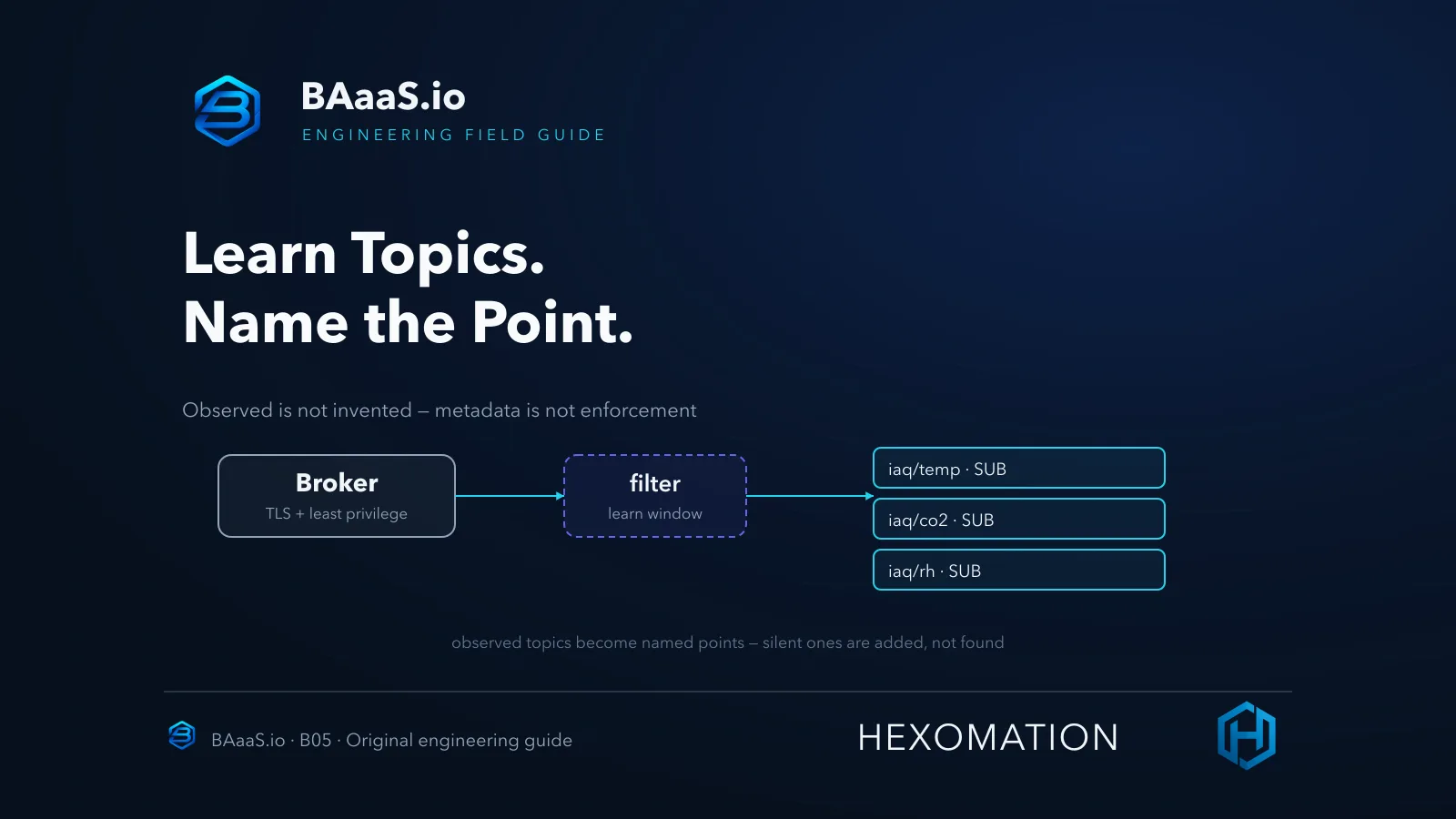
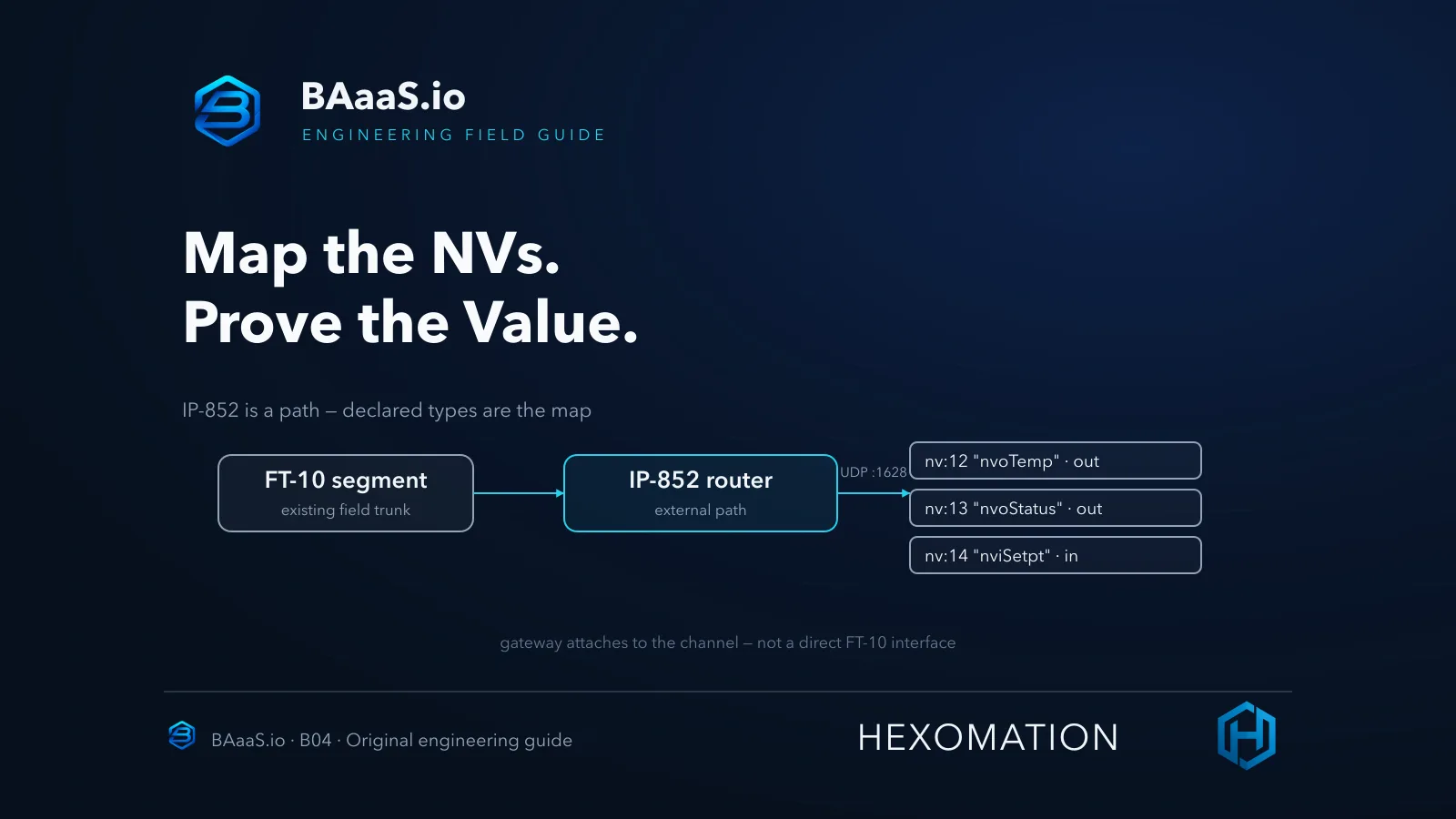
Gateway onboarding is the front door to the rest of BAaaS. Once a gateway is trusted, the same console discovers and supervises BACnet/IP, Modbus TCP/RTU, LonWorks over IP-852, MQTT, and MS/TP via supported routers as one monitored point inventory — with equipment groups, dashboards and zone analytics, trend history, alarm rules, schedules, and notifications operating on that shared inventory rather than per-protocol silos.
Platform governance covers role-based access and MFA, audit logging, organization and site administration, plan and billing surfaces, and API access where the plan allows. Gateway lifecycle work such as controlled Windows OTA updates, plus settings and support surfaces, round out operations; certificate lifecycle and BACnet/SC connectivity appear where the gateway’s SC roles are entitled.
Conditional families — BACnet/SC node and primary-only edge-hub roles, the Android field app, and AI-assisted operations — depend on plan, version, supported hardware, and release availability rather than being defaults on every site. Confirm the prerequisites for the intended deployment before enabling a capability.
Guided onboarding versus a hand-built pipeline
The honest alternative to a managed onboarding flow is assembling the same pieces yourself: a field gateway daemon, a certificate or key ceremony, a cloud ingestion endpoint, and the glue that keeps identity and telemetry consistent. That bespoke path can be the right call — a fully air-gapped site or a lab with strict change control may be better served by a customer-maintained local tool than by any cloud onboarding.
What the guided flow buys you is that device identity, site binding, and service installation arrive as one guided sequence instead of a checklist you maintain across three systems. You are trading flexibility for a supported, repeatable path — a reasonable trade for a first site, and a choice you can revisit per deployment.
Limits and what this does not cover
This article intentionally stops at onboarding. It does not teach BACnet object discovery, OTA update strategy, or BACnet/SC transport configuration — each has its own workflow and safety considerations. It also does not claim multiple gateways per site, guaranteed offline behavior during WAN loss, or that certificates alone authorize API actions; the console’s own roles and permissions govern what people can do once data flows.
Start with one verified site
Commission the first site deliberately: matched package, guarded bootstrap material, one gateway, and two separate verifications — cloud heartbeat and local field path — before discovery. That sequence makes onboarding repeatable across the sites that follow.
Evaluate the flow on a test site at BAaaS.io, and review the full capability set on the features page. Related guides on BACnet discovery and controlled gateway updates follow this one in the series.